
HIPAA Compliant Fax Cover Sheet
- FAXAGE Blog Home
- How to Send an International Fax Online
- Online Fax vs. Secure File Sharing: Which is Better for Sensitive Documents?
- Do You Need a Home Phone for Fax?
- Fax Retention Policies: How Long Should Businesses Keep Faxes?
- DOWNLOADABLE: Free Fax Cover Sheet Template
- The Evolution of Faxing: Then & Now
- How to Use Fax Logs & Audit Trails for Better Reporting
- HIPAA Compliant Fax Cover Sheet
- UPDATED: Top Features to Look for in an Online Fax Service in 2026
- How to Tell if a Fax Went Through
- How to Send a Fax from iPhone Without an App
- How Long Does Faxing Take?
- Where Can You Go to Fax Something?
- API-Based Faxing: What Developers Should Know About Fax Integration
- How to Choose the Right Online Fax Plan for Your Business Size
- 10 Medical Professionals Discuss Online Faxing
- 10 Legal Experts Weigh In on Online Faxing
- Why Online Faxing is Imperative in the Legal Field
- Are Free Online Fax Services Safe?
- Are Online Fax Services Secure?
- FAXAGE Earns HITRUST Recertification
- Enhancing Year-End Tax Preparations with Online Faxing
- How to Transition Your Business from Traditional Faxing to Online Faxing: A Step-by-Step Guide
- Introducing FAXAGE System Status Monitoring
- Cost-Saving Strategies: How Online Faxing Reduces Overhead Expenses
- 50 Experts Weigh In: Entrepreneurs on HIPAA-Compliant Faxing
- HIPAA Compliant Faxing: Experts Weigh In On Why It Matters
- How to Send a Fax Without a Fax Machine
- Mobile Faxing: How Do I Fax From My Phone?
- The Millenial/Gen Z Guide to Faxing
- Faxing in a Hybrid or Remote Work Environment
- The Environmental Impact of Online Faxing
- FAXAGE Adds SSL Fax Capability
- FAXAGE Earns HITRUST Certification
- How Different Industries Use Online Fax
- FAXAGE App Released
- COVID-19 & Cloud Faxing
- FAXAGE Reviewed by FitSmallBusiness
- FAXAGE Adds SSO
- Faxploit Information
- Security Auditing Added
- Ottawa fax numbers added
- Vancouver fax numbers added
- London fax numbers added
- Hamilton fax numbers added
- Toronto fax numbers added
- Alaska fax numbers added
- Enhanced fax spam blocking features
- Toll Free Fax Numbers in 844 Released
- Secure Email to Fax with Thunderbird
- Toll Free 844 Coming Soon
- Free Software - FAXAGE Staff Member Picks
- Scan to Fax Tips
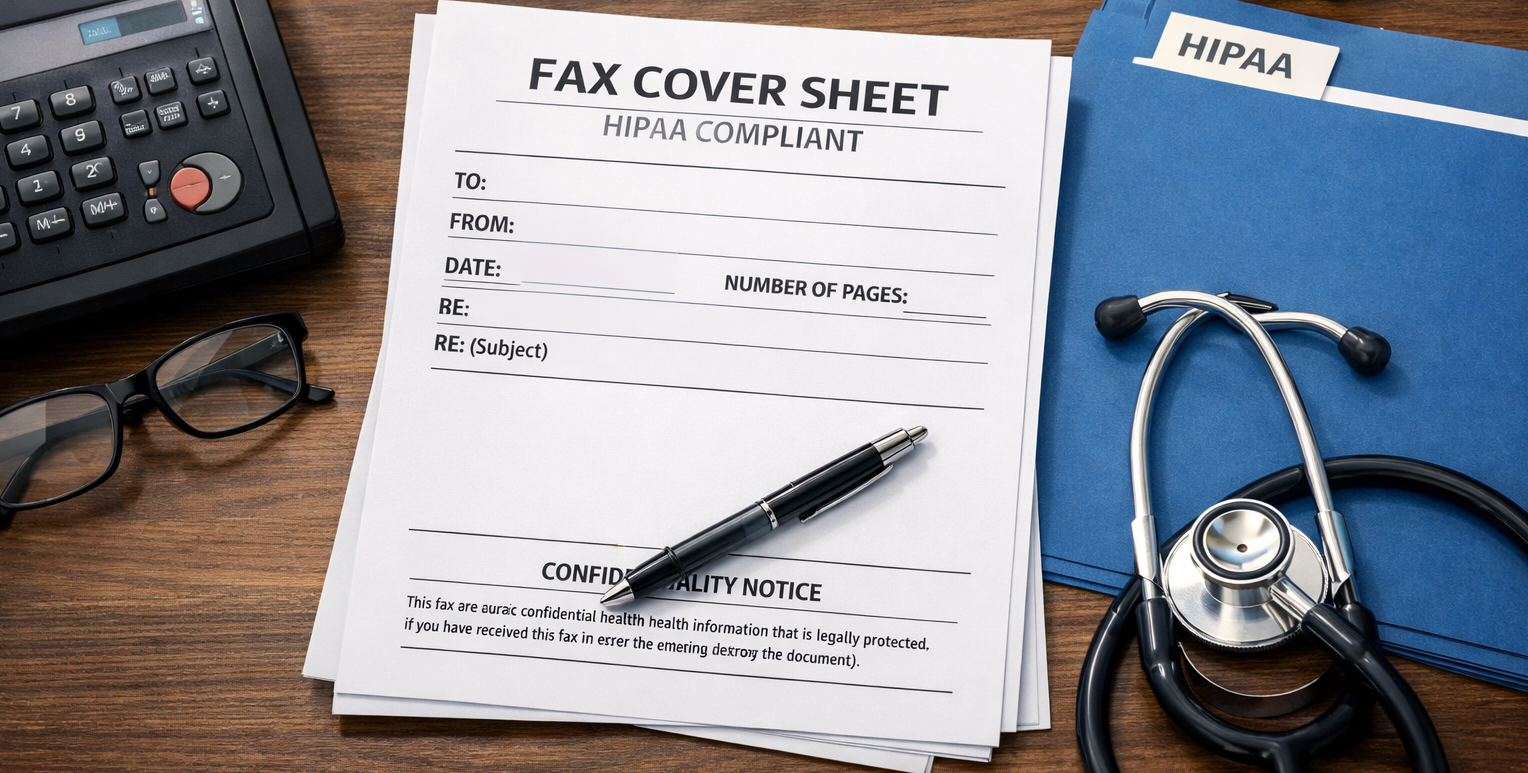
Faxing is still a daily reality in healthcare, referrals, authorizations, lab results, medical records requests, and more. But when Protected Health Information (PHI) is involved, “just sending the fax” isn’t enough. A HIPAA-compliant fax cover sheet helps reduce the risk of accidental disclosure, sets clear confidentiality expectations, and documents intent if something goes to the wrong number.
If you need a fast, clean cover sheet, you can also have Faxage generate a fax cover sheet as part of your workflow, then send securely via online fax (web, email, mobile app, or API).
Why a HIPAA-aware Fax Cover Sheet Matters
A cover sheet does more than look professional; it helps reduce real risk:
- Wrong recipient protection: People mistype fax numbers. The cover sheet makes it immediately clear who should (and shouldn’t) read the document.
- Confidentiality expectations: If a fax lands in the wrong place, the notice instructs the receiver to stop, notify you, and destroy it.
- Minimum-necessary discipline: A structured template discourages oversharing PHI in headers or notes, helping teams keep the cover page administrative, not clinical.
When you’re building a HIPAA-minded fax workflow, the cover sheet is the “front door,” and your fax method is the “lock.” Both matter.
What to Include on a HIPAA-Compliant Fax Cover Sheet
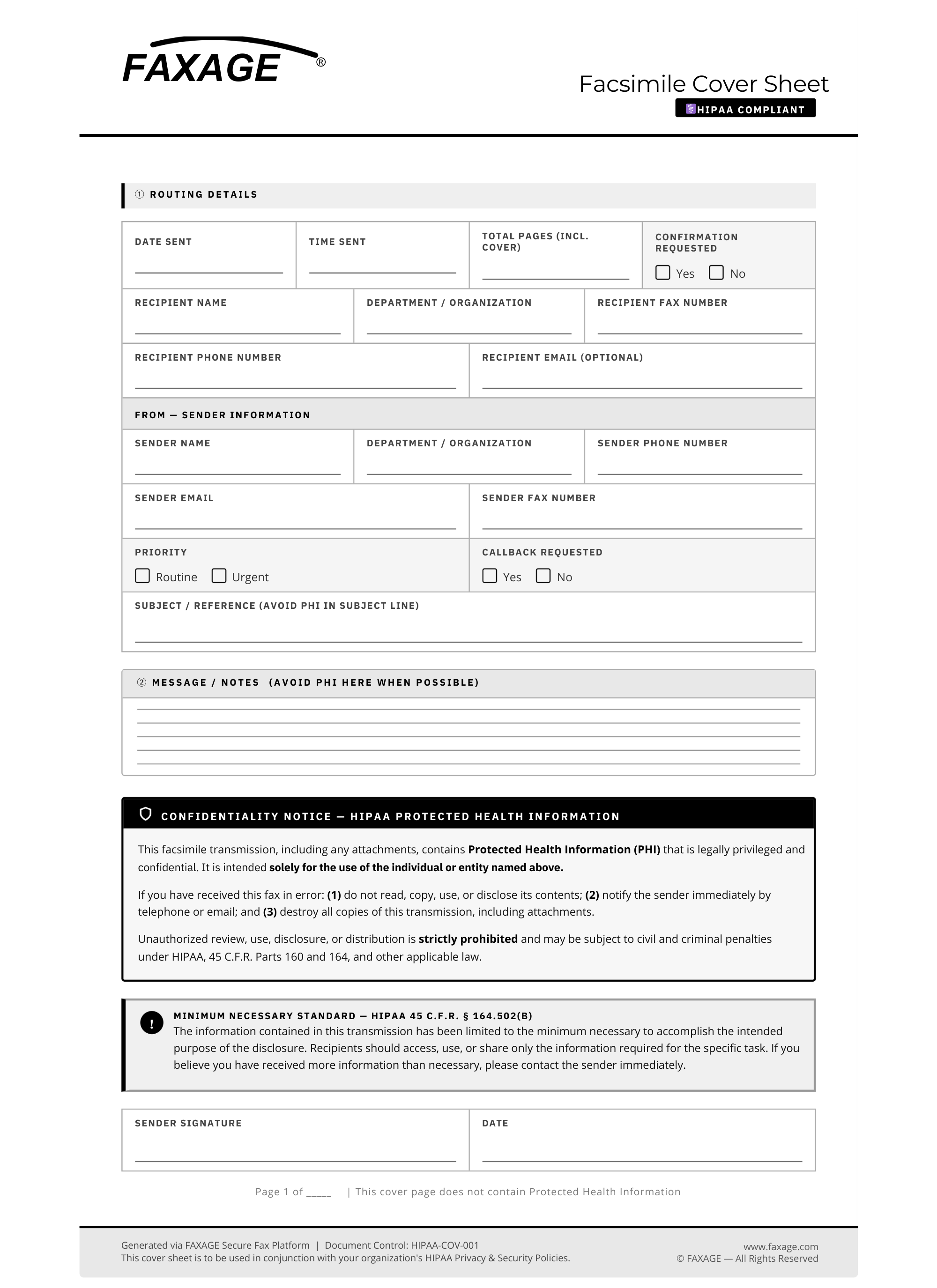
A practical HIPAA-oriented cover sheet typically includes three parts: routing details, a confidentiality notice, and a minimum-necessary reminder.
1) Routing details (the essentials)
Include only what’s needed to deliver and verify the fax:
- Date/time sent
- Recipient name + department
- Recipient fax number + phone
- Sender name + department
- Sender phone + email
- Subject/reference (use a non-sensitive reference when possible)
- Total pages (including cover)
- Confirmation requested (yes/no)
2) A Strong Confidentiality Notice
Keep it clear and action-oriented:
- Intended recipient only
- Prohibits unauthorized review/disclosure
- Instructions for misdirected fax (notify sender + destroy)
3) A “Minimum Necessary” Reminder
A simple line helps reinforce policy: send only the minimum necessary information for the intended purpose, and avoid placing PHI in the message area unless required.
Download: HIPAA Fax Cover Sheet Template
Click here to download a PDF example template
How to Auto-generate a Fax Cover Sheet in Faxage
Templates are great, until multiple people edit different versions, logos get outdated, or someone forgets to include the confidentiality notice. If your team wants a consistent, low-friction workflow, Faxage can generate a cover sheet automatically and pre-fill key sender information.
Email-to-Fax: enable automatic cover pages
Faxage’s Email Fax solution enables and configures auto-generated cover pages for faxes sent via email. This is helpful when users fax directly from their inbox, and you want a standardized cover sheet without manual attachments.
Web portal/Admin: configure cover sheet settings
Faxage’s User Guide covers cover sheet configuration in the admin tools, including enabling the cover sheet feature (“Active”), adding a logo, and setting default sender fields, so cover sheets come out consistent across the organization.
What “auto-fill” typically helps with
When your cover sheet is generated by the system (instead of being manually typed each time), you reduce omission errors and standardize:
- Sender name/department
- Company name and branding (logo)
- Default contact details
- Consistent confidentiality language
If you’re sending high volumes (referrals, authorizations, release forms), this can noticeably cut mistakes, especially missing page counts, missing sender details, or inconsistent notices.
What NOT to Put on a HIPAA Cover Sheet
A good rule is simple: include the minimum necessary to route and verify the fax, nothing more.
Avoid placing these on the cover sheet when you can:
- Diagnoses, treatment details, or extensive clinical notes
- Social Security numbers
- Full medical record content in the “Message/Notes” section
- Sensitive identifiers unless genuinely required
Prefer neutral references:
- Internal case number
- Invoice number
- Patient ID (rather than additional PHI)
- “Patient: [Initials]” only if policy allows and truly needed
Best Practices for Sending HIPAA-sensitive Faxes
A cover sheet helps, but secure faxing also depends on the process.
1) Verify the fax number (every time it changes)
Wrong-number faxes are one of the most common disclosure risks. Build a “double-check” habit into your workflow.
2) Use encryption and secure delivery controls
Secure online fax services can reduce exposure compared to printing paper faxes in a shared area. Faxage supports multiple security options like SSL/TLS protections, password-protected incoming PDFs, secure download links, and auditing capabilities.
3) Control access and retention
Limit who can view inbound faxes, and keep an audit trail of activity when possible. Faxage includes system auditing options to help monitor usage.
4) Avoid “free” fax tools for PHI
Free services can come with weaker security and privacy tradeoffs. For PHI, it’s safer to use a provider designed for business-grade confidentiality and compliance needs.
How Faxage Helps You Send Cover-sheeted Faxes
Use the downloadable cover sheet above as-is, or adapt it to your organization’s policies. And if you want a simpler, more secure fax workflow, explore sending and receiving faxes through Faxage’s online options:
FAQs
Does HIPAA require a cover sheet?
HIPAA doesn’t mandate one specific “fax cover sheet form,” but a cover sheet is a widely used administrative safeguard. It reduces the risk of improper disclosure and helps demonstrate a good-faith compliance process.
Is online faxing secure enough for HIPAA?
It can be, if you use a reputable provider that supports strong encryption, secure infrastructure, access controls, and auditing.
Can I use this template for non-healthcare confidential documents?
Yes. The confidentiality language is also useful for legal, HR, finance, and other sensitive transmissions; just adjust the wording to fit your policy.
Quick checklist: “Is my fax cover sheet ready for HIPAA workflows?”
Before you hit send, confirm:
- Recipient name + fax number verified
- Total pages listed
- Confidentiality notice included
- Only the minimum necessary patient identifiers included
- You’re using a secure fax method appropriate for PHI (encryption, access controls, audit trail)
HIPAA fax cover sheet template (copy/paste version)
Use this as a quick template if you’re creating a cover sheet inside your EHR, Word document, or a Faxage send-flow:
HIPAA COMPLIANT FAX COVER SHEET
FAX DETAILS
- Date/Time:
- Total pages (including cover):
- Urgency:
- From Fax:
- To Fax:
SENDER (FROM)
- Organization/Facility:
- Department:
- Sender Name:
- Phone:
- Email:
RECIPIENT (TO)
- Organization/Facility:
- Department:
- Attention (Recipient Name):
- Phone:
- Email:
PATIENT / SUBJECT (Optional — include only what’s necessary)
- Patient Name or Identifier:
- DOB (optional):
- Reference/Case #:
MESSAGE (Optional)
CONFIDENTIALITY NOTICE (HIPAA)
This fax transmission may contain Protected Health Information (PHI) or other confidential information intended only for the individual or entity named above. If you are not the intended recipient, you are hereby notified that any review, disclosure, copying, distribution, or use of the contents of this transmission is strictly prohibited. If you received this fax in error, please notify the sender immediately and destroy all copies (paper and electronic).
FAXAGE® is a registered trademark of EC Data Systems, Inc.
© Copyright 2004-2026 EC Data Systems, Inc. all rights reserved